

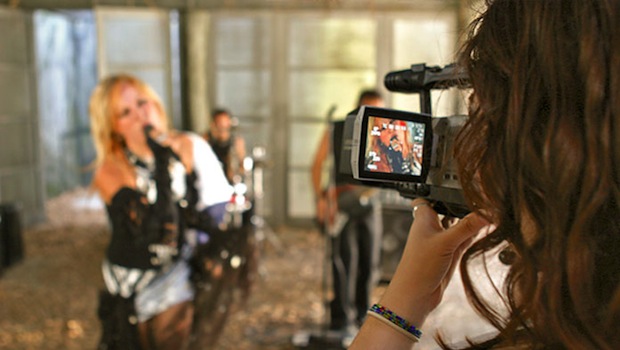
A song can be finished on a Friday and still have nothing to show for it. Streaming platforms and social feeds reward visuals as much as audio, and a track with no video, no loop, and no cover animation is easy to scroll past. For independent artists, the problem has always been cost. A traditional music video means a director, a crew, locations, editing, and a budget most emerging musicians don’t have.
AI tools are changing that math. You no longer need a production team to give a track a visual identity. You need a clear idea, a finished audio file, and a sensible workflow.
Why visuals matter more than ever
Short-form video platforms have turned music discovery into a visual experience. A listener often meets a song as a 15-second clip with a visual attached, not as a track on an album page. Streaming services have followed, adding looping artwork and video features to artist profiles. If you have no visuals, you give up space on those surfaces.
There is also a trust factor. A consistent visual style signals that an artist is serious, even when the budget is small. Fans remember a color palette, a mood, a recurring motif. That recognition builds over every release.
What a modern AI music video workflow looks like
The old way of making a video started with a storyboard and ended with weeks of editing. The AI-assisted way flips the order. You begin with the finished song, describe the look you want, and let software handle the assembly.
The better tools analyze the audio first. Renderforest’s tool, for example, reads an uploaded MP3 or WAV for tempo, energy, and lyrics, generates scenes from your prompt, and cuts them to the rhythm. That beat-aware editing is the part that used to take the most manual effort, and it is what makes the result feel like a music video rather than a slideshow set to a song.
This is the point where an ai music video generator earns its place in an artist’s toolkit. Instead of cutting footage to a waveform by hand, you describe the mood and let the system propose scenes that follow the track’s energy. You still make the creative decisions, but you skip the most tedious technical steps.
Choose the right format for the job
Not every song needs the same kind of video, and one track can often support several formats. Here are the main options and when each one fits.
- Story-driven videos. Best for singles with a clear emotional arc or a strong lyrical theme. They work well for YouTube premieres and for pitching to playlist curators.
- Lyric videos. Ideal when the words carry the song. They are also a fast way to put out a visual before a full production is ready.
- Audio visualizers. A good fit for instrumental, electronic, and DJ tracks where there are no lyrics to anchor a story.
- Looping clips. Short, repeatable visuals suit profile artwork, Spotify Canvas, and social teasers.
The Renderforest tool covers story-driven videos, lyric videos, audio visualizers, and Spotify Canvas loops, in 16:9, 9:16, or 1:1. Matching the aspect ratio to the platform matters more than most artists expect. A widescreen video cropped into a vertical feed rarely looks right, so plan the format before you generate anything.
Write prompts like a director, not a search engine
The quality of an AI-generated video depends heavily on the brief you give it. Vague prompts produce generic visuals. Specific prompts produce something with a point of view.
A useful prompt covers four things:
- Setting: where the video takes place, such as a rain-soaked city street or a sunlit desert road.
- Mood and color: warm and nostalgic, cold and minimal, neon and chaotic.
- Subject and action: who or what is on screen and what they are doing.
- Pacing: slow and atmospheric, or fast and cut hard to the drums.
Think of it as a creative brief. If you would not hand a human director a one-line description, don’t hand one to the software either.
Pick the model that suits your style
AI video models differ in their strengths. Some handle realistic motion well, while others lean toward stylized or painterly looks. Renderforest offers several AI video models, including Kling 3.0 and Seedance 2.5, and has a free starting tier. Having more than one model available means you can test the same prompt across them and keep the one that fits your song. A free tier makes that experimentation low-risk, which is valuable when you’re still finding your visual identity.
Keep the human touch
AI can generate scenes, but it can’t decide what your music means. The artists who get the best results treat the tool as a collaborator and keep ownership of the big decisions.
- Set a visual identity first. Pick two or three recurring elements, such as a color, a symbol, or a type style, and carry them across releases.
- Review every scene. Remove anything that feels off-brand, awkward, or disconnected from the lyrics.
- Add your own footage. Mixing a few real clips of yourself performing with generated scenes makes the video feel personal.
- Respect the rights. Make sure you own or have licensed the audio you upload, and check the usage terms of any tool before commercial release.
Build a release plan around the video
A video works hardest when it is part of a rollout instead of an afterthought. A simple plan might look like this:
- A short teaser clip a week before release
- The full video or lyric video on release day
- A looping visual for streaming profiles
- Vertical cuts of the chorus for social platforms
Generating several formats from the same track keeps your costs low and your presence consistent. The tool is aimed at musicians, producers and DJs, labels and managers, and content creators who want music visuals without editing skills, which reflects how broad the use cases have become. A solo producer and a small label can follow the same workflow.
Final thoughts
The barrier to a good music video used to be money. Now it is mostly clarity: knowing what your song feels like and describing it well. AI tools won’t replace creative vision, but they remove the technical wall that kept many artists from releasing visuals at all. Start with one track, one clear brief, and one format. Test it, refine it, and let your audience tell you what works. The next song will go faster.


