

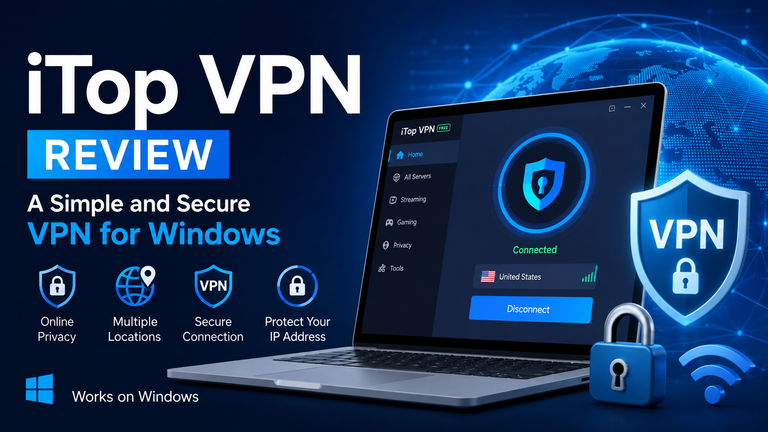
The internet has become an important part of everyday life. We use it for work, study, entertainment, shopping, communication, and many other activities. However, using the internet without privacy protection can expose certain information about your connection. Your IP address can reveal your general location, while public Wi-Fi networks may create additional security concerns.
A VPN can help by creating a more private connection between your device and the internet. It routes your internet traffic through a VPN server and can replace your regular IP address with the server’s IP address.
For Windows users looking for a simple VPN solution, iTop VPN is one option worth exploring. It offers an easy-to-use interface, multiple server locations, privacy tools, and both free and paid options.
In this review, we will look at what iTop VPN offers, its main features, how to use it on Windows, and whether it is a suitable choice for everyday VPN needs.
What is an iTop VPN?
iTop VPN is a virtual private network application designed for Windows and other supported devices. Its main purpose is to help users create a more private internet connection by routing their traffic through VPN servers.
When you connect to a VPN server, websites generally see the IP address of that server instead of your normal IP address. This can help protect your real IP address and make it more difficult for websites to determine your approximate location from your connection.
The software is designed for both beginners and experienced users. Beginners can simply choose a server and connect, while users who want more control can explore additional privacy and connection settings.
It is important to remember that a VPN is not the same as complete online anonymity. Websites can still identify users through accounts, cookies, browser settings, and other tracking methods. A VPN should therefore be viewed as one part of a broader online privacy strategy.
Key Features of iTop VPN
iTop VPN provides several features that make it more than a basic IP-changing application. Here are some of the main features users may find useful.
1. IP Address Protection
One of the main reasons people use a VPN is to protect their IP address.
When you connect through a VPN server, your normal public IP address is replaced with the address of the VPN server. This can help provide an additional layer of privacy while browsing.
For example, if you connect to a server located in another country, websites may see the VPN server’s location rather than the location associated with your regular internet connection.
This can be particularly useful when using unfamiliar networks or public Wi-Fi.
2. Kill Switch
A Kill Switch is an important feature for people who want to avoid accidentally using their normal internet connection when a VPN disconnects.
VPN connections can occasionally drop because of network problems, server issues, or changes in your internet connection. Without a Kill Switch, your device may automatically continue using the regular connection.
The Kill Switch feature is designed to prevent this by stopping internet access if the VPN connection unexpectedly fails.
This can be useful when privacy is a priority, especially when connecting to public or shared networks.
3. Double VPN
iTop VPN also offers a Double VPN feature.
Normally, your connection passes through one VPN server. With Double VPN, the traffic can pass through two VPN servers, adding another layer to the connection.
This feature may appeal to users who want additional privacy protection. However, using multiple servers can also increase the distance your data travels, which may affect connection speed.
For normal browsing, a regular VPN server may be sufficient. Double VPN can be considered when additional privacy is more important than maximum speed.
4. Split Tunneling
Split Tunneling gives users more control over which applications use the VPN connection.
Not every application needs to run through a VPN. For example, you might want your browser to use the VPN while allowing another application to use your normal internet connection.
This feature can be helpful for users who need both VPN protection and direct access to certain local services.
It also gives users more flexibility because they do not have to route every application through the VPN.
5. Multiple Server Locations
Server availability is an important part of any VPN service.
iTop VPN provides users with different server locations, allowing them to select a location based on their needs. Server choices can be useful when users want to connect to a particular region or simply find a server that provides better performance.
The service also offers different server categories designed for activities such as streaming and gaming.
The available locations and features can depend on the user’s subscription plan, so free users may have fewer choices than premium users.
6. Additional Privacy Features
Another benefit of iTop VPN is that it provides several additional privacy-related tools.
Depending on the version and plan, users can find features such as DNS protection, IPv6 protection, ad blocking, browser privacy tools, and other security options.
Having several tools in one application can be convenient for people who do not want to install separate programs for every privacy requirement.
VPN Free Option
One feature that makes iTop VPN interesting for beginners is its free option.
Not everyone wants to pay for a VPN before testing it. A VPN free option allows users to try basic VPN protection without immediately purchasing a subscription.
The free version is suitable for people who have occasional VPN needs. For example, someone might want to protect their connection while using public Wi-Fi or test how a VPN works before deciding whether a premium plan is necessary.
However, free VPN services usually come with limitations, and iTop VPN is no exception. Free users may have restrictions on traffic, server locations, and certain advanced features.
If you only need basic VPN protection occasionally, the free version can be a useful starting point. Users who need more servers, unlimited usage, or advanced tools may find a premium plan more suitable.
How to Install iTop VPN on Windows
Getting started with iTop VPN on a Windows computer is relatively simple.
Step 1: Download the Application
First, download the Windows version of iTop VPN from the official source.
Always download VPN software from a trusted source. Avoid unknown websites that distribute modified installers because they may contain unwanted software.
Step 2: Install the Software
After downloading the installer, open the setup file.
Follow the instructions shown during the installation process. The setup should guide you through the necessary steps.
Once the installation finishes, you can launch the application.
Step 3: Open iTop VPN
After opening the application, you will see its main interface.
The design is aimed at keeping the basic VPN connection easy to access. You do not need to understand advanced VPN technology to make a basic connection.
Step 4: Select a Server
Next, choose a VPN server.
You can select a location based on your needs. If you are not sure which server to choose, you can use the recommended server option when available.
For better performance, choosing a server that is geographically closer to you can often be a good starting point.
Step 5: Connect to the VPN
Once you have selected your server, click the Connect button.
The application will establish the VPN connection. Once connected, your internet traffic will be routed through the selected VPN server.
You can disconnect whenever you no longer need the VPN.
Is iTop VPN Easy to Use?
Ease of use is one of the biggest advantages of iTop VPN.
Some VPN applications can look complicated because they include many technical settings. iTop VPN takes a simpler approach for basic users.
The main connection button is easy to find, and users can generally connect without changing complicated settings.
At the same time, users who want more control can explore features such as Kill Switch, Split Tunneling, Double VPN, and other privacy options.
This makes the service suitable for different types of users.
A beginner can use the basic connection, while a more experienced user can customize the VPN according to their needs.
iTop VPN for Streaming
Many people use VPNs to access online content while traveling or when certain services are unavailable in their region.
iTop VPN provides servers intended for streaming-related activities. Connecting to a suitable server may help users access services that are available in that particular region.
However, VPN performance can vary. Streaming quality depends on your original internet connection, the VPN server, network congestion, and the distance between you and the server.
A VPN should not automatically be expected to improve every internet connection. In some cases, routing traffic through another server can reduce speed.
For the best experience, users can try different available servers and choose the one that provides a stable connection.
iTop VPN for Gaming
Gaming is another area where VPNs can be useful.
Some gamers use VPNs to connect through different locations, improve privacy, or access gaming services available in specific regions.
iTop VPN includes features aimed at gaming users, including specialized servers and tools designed to help with gaming connections.
However, gaming performance depends heavily on the distance between your device and the VPN server. A server that is far away can sometimes increase latency.
For this reason, gamers should test nearby servers and compare connection performance before choosing one for regular use.
Free vs. Premium Version
The free version of iTop VPN can be useful for basic needs, but premium plans provide access to additional features and resources.
The free option is a good choice for users who only need occasional VPN access or want to test the service.
Premium users can generally benefit from a larger selection of servers, fewer usage restrictions, and advanced features.
Your choice should depend on how frequently you use a VPN.
If you only need a VPN once in a while, the free version may be enough. If you regularly use VPN protection for browsing, streaming, gaming, or travel, a premium plan may provide better flexibility.
Pros and Cons of iTop VPN
Pros
- Simple and beginner-friendly interface
- Free option available
- Multiple server locations
- Kill Switch feature
- Split Tunneling support
- Double VPN option
- Additional privacy tools
- Options for streaming and gaming
- Available for Windows
- Suitable for both beginners and advanced users
Cons
- Free usage has limitations
- Some advanced features require a paid plan
- VPN connections can sometimes reduce internet speed
- Server performance can vary depending on location and network conditions
- A VPN does not provide complete online anonymity
Is iTop VPN Worth Trying?
Whether iTop VPN is worth trying depends on your individual needs.
For someone who has never used a VPN before, its simple interface and free option make it relatively easy to get started. You can learn how VPN connections work without immediately committing to a paid subscription.
For more experienced users, features such as Kill Switch, Split Tunneling, Double VPN, and additional privacy tools provide greater control.
The free option is particularly useful for occasional users. However, people who require more server choices, higher usage limits, or advanced features should consider the premium version.
It is also important to choose a VPN based on your actual requirements rather than assuming that every VPN will provide the same performance.
Final Verdict
iTop VPN is a straightforward VPN solution for Windows users who want an additional layer of privacy while using the internet. Its simple interface makes it accessible to beginners, while its additional features provide useful options for users who want more control.
The free version can be a practical way to test the service and handle occasional VPN needs. At the same time, users with heavier requirements may prefer the additional features and resources available through a premium plan.
Overall, iTop VPN is worth considering if you want an easy-to-use VPN with basic privacy protection, multiple server choices, and useful features such as Kill Switch, Split Tunneling, and Double VPN.
Before choosing any VPN service, consider your own needs, including privacy, speed, server availability, device compatibility, and how frequently you expect to use it. This will help you select an option that fits your everyday internet habits.
