

Video has become an important part of modern business communication. Marketing teams use it for social media, sales teams use it for product explanations, HR departments use it for onboarding, and customer support teams use it to answer common questions.
The problem is that video production can quickly become a time-consuming task. A simple two-minute video may involve writing a script, finding a presenter, recording audio, arranging visuals, editing scenes, adding captions, and making revisions. When several videos are needed every week, these small tasks can take hours.
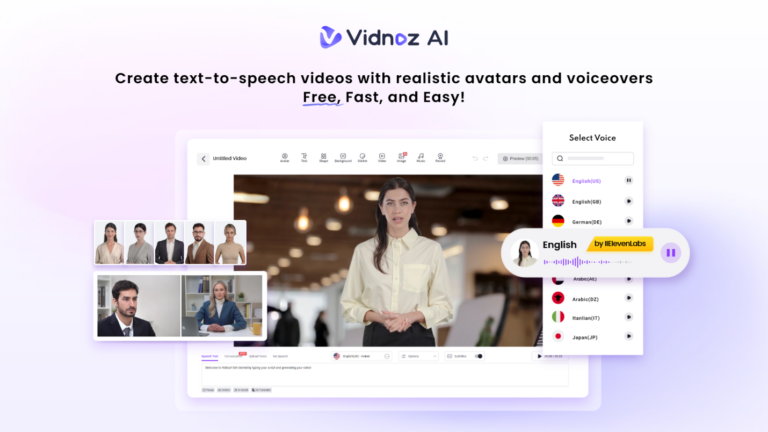
AI video creation offers another way to handle this workload. Instead of starting every project with cameras, microphones, actors, and complicated editing software, teams can use AI tools to handle much of the production process. One platform built around this idea is Vidnoz AI. It combines AI avatars, voices, templates, editing options, and other video tools in one online workspace.
Vidnoz AI: An AI Video Tool Built for Faster Workflows
Vidnoz AI video generator gives teams a way to turn scripts and ideas into presenter-style videos without arranging a conventional recording session.
Data protection is another important consideration for businesses using AI tools. Vidnoz AI achieved ISO/IEC 27001:2022 certification for information security management. The certification reflects its information-security controls and approach to managing security risks and protecting user data.
The biggest advantage for a busy team is the reduction in small production tasks. A team member can prepare the content digitally and move through the creation process online Instead of waiting for a presenter to become available or recording the same type of explanation repeatedly
Where Teams Lose Time With Traditional Video Production?
Before looking at the features, it helps to understand where the hours often disappear. A typical business video might involve
- Finding someone to appear on camera
- Booking a suitable recording space
- Setting up lights and microphones
- Recording several takes
- Cleaning up the audio
- Cutting unwanted sections
- Adding graphics and captions
- Creating different versions
- Getting approval from other team members
- Making revisions
- Exporting and sharing the final file
None of these jobs are necessarily difficult on their own. The issue is that they add up. AI video creation can move many of these activities into a single workflow. That allows employees to spend more time on planning, research, customer work, creative decisions, and other tasks that need human input.
Vidnoz AI Features That Can Save Production Time
Let’s explore some key features of Vidnoz AI
More Than 2,000 Lip-Sync AI Voices
Recording a voiceover can be surprisingly slow. A presenter may need several attempts to get the timing and pronunciation right, especially when the script is long.
Vidnoz AI provides 2,000+ lip-sync AI voices, giving users different options for creating narrated content. The selected voice can speak the written script while the avatar’s mouth movements match the audio.
This can remove the need to record separate voiceovers for many routine videos. Teams can also select different voices and languages depending on the audience and type of content.
2,800+ Templates for Faster Starts
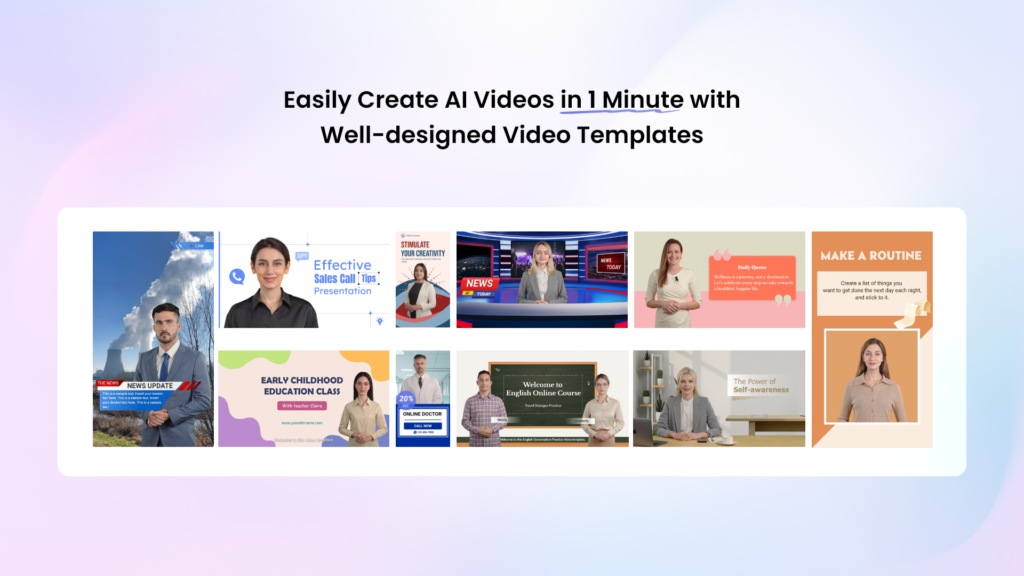
Designing a video from a blank screen takes time. Vidnoz AI provides more than 2,800 templates covering different subjects and content formats. Templates can give teams a starting structure for
- Training content
- Product presentations
- Marketing videos
- Tutorials
- Social media posts
- Business announcements
- Educational material
- Customer support videos
Users can begin with an existing layout and change the content instead of spending the first part of a project deciding how every scene should look.
Get 30 Credits for Free
Trying an AI video platform does not have to start with a large commitment. Vidnoz AI provides free credits so users can explore its video creation tools before deciding how they fit into their workflow.
For teams, this can be useful for testing a few common projects. A marketing employee might create a short product video, while an HR employee could test an onboarding presentation and compare the process with traditional production.
1,900+ Realistic Avatars
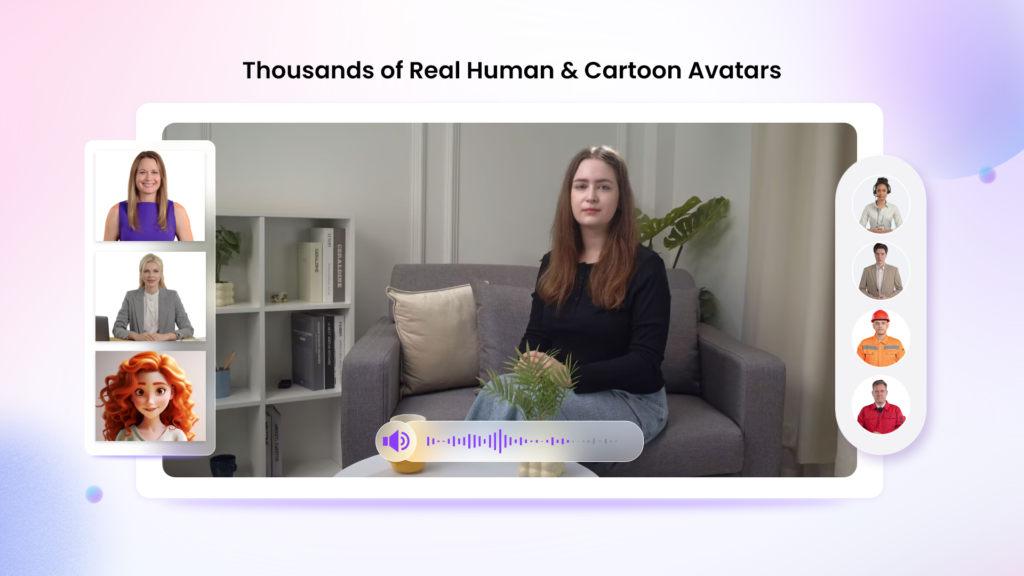
Finding a presenter is another part of video production that can slow things down. Vidnoz AI offers 1,900+ realistic avatars covering different roles and industries, including presenters, teachers, customer support workers, doctors, chefs, students, and other professional characters.
Teams can select an avatar that fits the subject instead of arranging a person to appear in front of a camera. Avatar Lite can be useful when the goal is to create a presenter quickly, while Custom Avatar Pro provides more options for creating a digital representation with additional control.
Expressive avatars with natural gestures and facial movements can make AI-presented videos feel more active and engaging. Motion Avatars can add body movements, posture changes, gestures, and expressions, with options that can also work for cartoon-style content.
A digital twin can also speak in more than 40 languages while reflecting the user’s voice, which can help teams create content for audiences in different markets.
How to Use Vidnoz AI Without Adding More Work?
Here is how businesses can start using Vidnoz AI
Start With the Message
First, decide what the video needs to communicate. Write a short script with one clear purpose instead of trying to cover too many ideas at once. A focused script makes the later avatar, voice, visual, and editing choices much easier.
Select a Ready-Made Starting Point
Choose a suitable template and presenter from the available options. Look for a format that already resembles the type of video you want to create. This saves time compared with building the scene structure from an empty project.
Add the Voice and Visual Details
Place your script into the project and select an AI voice. Then add relevant images, text, captions, branding, music, or other visual elements. Keep the editing focused on information that helps viewers understand the message rather than adding unnecessary effects.
Generate, Check, and Share
Generate the finished video and watch it once before publishing. Look for pronunciation issues, incorrect text, timing problems, or visual mistakes. Once the video looks right, download or share it through the channel your audience already uses.
Final Thoughts
Creating business videos has traditionally required several people, multiple pieces of equipment, and a long list of production steps. Vidnoz AI is changing that workflow by offering production features into one place.
For teams producing videos regularly, the real value comes from building a repeatable workflow. Many routine video projects can move from a long production process to a much simpler sequence.


