

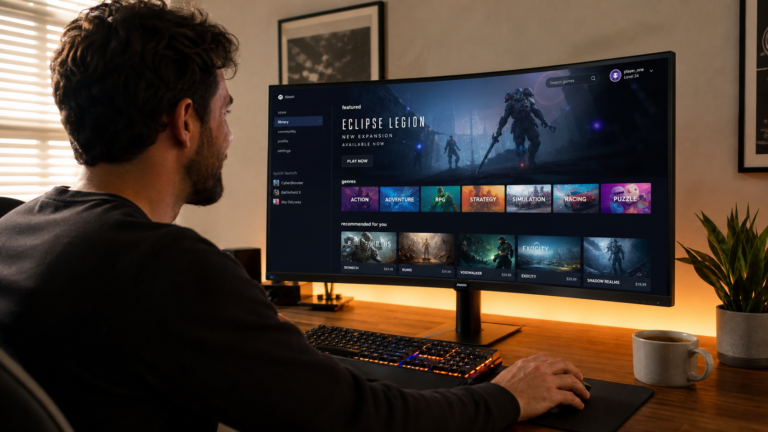
Finding the Best PC Games can feel harder than it sounds. There are thousands of games available, and every game offers something different. Some are fast and competitive, while others are calm, creative, or story-focused.
So, how do you know which game is right for you?
The answer is simple: choose games that match your gaming style, skill level, available time, and PC hardware. You do not need to play the most popular game to have fun.
Let’s understand it step by step. This guide will help you find games that fit you instead of wasting time and money on games you may not enjoy.
What Makes a PC Game Right for You?
The best game for one player may be boring for another. Your choice depends on what you enjoy when you sit in front of your PC.
Think about these questions:
- Do you enjoy competition?
- Do you like playing alone or with friends?
- Do you prefer stories or action?
- Do you enjoy difficult challenges?
- How much free time do you have?
- Can your PC run modern games?
- Do you want free games or paid games?
Your answers can quickly reduce the number of games you need to consider.
For example, someone who loves competition may enjoy a multiplayer shooter. A player who prefers relaxing experiences may enjoy a simulation or building game.
There is no single answer for everyone.
Identify Your Gaming Style First
Before searching for new games, understand what type of player you are.
This is one of the easiest ways to discover games you are likely to enjoy.
Competitive Players
Do you enjoy winning against real players?
Competitive games are built around skill, timing, teamwork, and strategy. You may need to practice regularly to improve.
Common features include:
- Online multiplayer
- Ranked matches
- Leaderboards
- Team-based gameplay
- Competitive events
- Fast decision-making
These games can be exciting because every match can feel different.
However, they can also become stressful. If you prefer a relaxed experience, you may want to avoid games that focus heavily on rankings.
Story-Focused Players
Some players care more about the story than winning.
If you enjoy movies, characters, exploration, and emotional moments, look for story-driven PC games.
These games often include:
- Strong characters
- Interesting worlds
- Missions
- Dialogue
- Exploration
- Character development
A good story game can feel like an interactive movie. You control what happens instead of simply watching it.
Strategy Players
Do you enjoy thinking before making a move?
Strategy games can be a great choice. They reward planning instead of only fast reactions.
You may need to:
- Manage resources
- Build an army
- Control territory
- Create a strong economy
- Study your opponents
- Plan several moves ahead
Strategy games can also help beginners develop patience and problem-solving skills.
Creative Players
Maybe you do not care about defeating enemies at all.
You may prefer creating your own world, building structures, designing characters, or experimenting with different ideas.
Sandbox and building games are useful for this type of player.
They often give you freedom instead of forcing you to follow one path.
Racing and Sports Fans
If you enjoy football, basketball, racing, or other sports, sports games can bring that experience to your PC.
Some games focus on realistic gameplay, while others are designed to be quick and fun.
Think about whether you want:
- Realistic simulation
- Arcade-style action
- Career modes
- Multiplayer matches
- Team management
This can help you find the right type of sports game.
Choose a Game Based on Your Skill Level
Your skill level matters just as much as your gaming style.
A game that is too difficult can become frustrating. A game that is too easy may become boring.
The goal is to find the right challenge.
Beginner Players
If you are new to PC gaming, start with games that are easy to understand.
Look for:
- Simple controls
- Helpful tutorials
- Adjustable difficulty
- Short missions
- Clear objectives
- Beginner-friendly gameplay
Do not worry about playing difficult games immediately.
Everyone starts somewhere.
A simple game can help you learn basic PC controls, camera movement, aiming, movement, and other skills.
Intermediate Players
If you already understand basic controls, you can try games with more depth.
You may enjoy:
- More difficult enemies
- Advanced strategies
- Longer campaigns
- Multiplayer modes
- Character progression
- More complex mechanics
At this stage, you can experiment with different genres.
You may discover that a game type you never tried before is actually your favorite.
Advanced Players
Experienced players may want games that provide a serious challenge.
These games often have:
- High difficulty
- Competitive systems
- Complex mechanics
- Advanced strategies
- Difficult bosses
- Deep character systems
A challenging game can feel very rewarding when you finally master it.
But remember, difficulty does not automatically mean quality. A game should still be enjoyable for you.
Check Your PC Hardware Before Downloading
Imagine finding a game you really want to play, downloading it, and then discovering that your PC cannot run it properly.
Not fun, right?
Before buying or downloading a PC game, check its system requirements.
Pay attention to:
- Processor
- Graphics card
- RAM
- Storage space
- Operating system
- DirectX version
You should check both the minimum and recommended system requirements.
Minimum requirements usually mean the game can run under basic conditions. Recommended requirements generally provide a better experience.
If your PC is older, look for games designed for low-end or older hardware.
There are many excellent PC games that do not require expensive gaming computers.
Think About How Much Time You Have
Your available time should also influence your choice.
Not everyone can play for three or four hours every day.
Short Gaming Sessions
If you only have 20–30 minutes, choose games that allow quick sessions.
Good options may include:
- Short matches
- Puzzle games
- Racing games
- Arcade games
- Small strategy challenges
You can enjoy these without spending your whole evening playing.
Long Gaming Sessions
If you have several hours available, you may prefer games with larger worlds.
These can include:
- RPGs
- Open-world games
- Simulation games
- Strategy games
- Story-driven adventures
These games can take dozens of hours to complete.
Before starting one, ask yourself if you are comfortable with that time commitment.
Decide Between Single-Player and Multiplayer
This is another important choice.
Single-Player Games
Single-player games are great if you want to play at your own speed.
You do not need to wait for other players. You can pause the game and return later.
They are often a good choice for:
- Story lovers
- Casual players
- Beginners
- Relaxed gaming
- Offline gaming
You can focus completely on the game world.
Multiplayer Games
Multiplayer games allow you to play with or against other people.
They can be exciting because every match may be different.
They are useful if you enjoy:
- Teamwork
- Competition
- Communication
- Online friends
- Fast matches
However, multiplayer games may require a stable internet connection.
Some also have active online communities, so check whether the player base is still active before choosing an older game.
Free Games vs. Paid Games
Your budget also matters.
There are many free PC games, but free does not always mean bad. Likewise, a paid game is not automatically better.
When comparing games, consider:
- Game quality
- Content included
- Updates
- Multiplayer access
- Extra purchases
- Community support
- Replay value
Some free games use optional purchases for cosmetic items or other features.
Always check what you are actually getting before spending money.
If you have a limited budget, you can also watch for legitimate discounts and seasonal sales from established PC game stores.
Look at Reviews Carefully
Reviews can help you avoid a poor purchase, but do not look at only one review.
Read several opinions.
Pay attention to comments about:
- Gameplay
- Performance
- Controls
- Bugs
- Story
- Multiplayer activity
- Updates
- Overall value
Try to separate technical problems from personal preferences.
For example, one player may dislike a slow story, while another player may love it.
The important question is not simply, “Is this game good?”
Ask:
“Is this game good for me?”
That small change can make choosing games much easier.
Watch Gameplay Before Buying
Screenshots can look impressive, but they do not always show how a game actually feels.
Watching real gameplay can help you understand:
- Movement
- Combat
- Graphics
- Game speed
- Interface
- Missions
- Controls
Spend a few minutes watching gameplay before purchasing an expensive title.
You may quickly discover that the game is not what you expected.
Consider the Game’s Difficulty
Difficulty is personal.
Some players love challenging games. Others want to relax after a long day.
Before choosing a difficult game, check whether it offers different difficulty settings.
A game with adjustable difficulty can be useful because you can change the challenge as your skills improve.
For beginners, this is especially helpful.
You can start with an easier setting and increase the difficulty later.
Think About Replay Value
A game can be fun for five hours or remain interesting for hundreds of hours.
Replay value means how much enjoyment you can get after completing the main content.
Games may offer replay value through:
- Different endings
- Multiple characters
- New difficulty levels
- Random events
- Multiplayer
- Customization
- New game modes
- Large open worlds
If your budget is limited, games with strong replay value can provide more entertainment for your money.
Choose Games From Trusted Sources
Where you get a game matters.
Use official stores and legitimate websites whenever possible. They are safer and usually provide updates, refunds, support, and proper game files.
Avoid unknown websites that offer suspicious downloads.
Illegal or modified game files may contain malware or other unwanted software.
For PC gaming, safety should always come before saving a few dollars.
If you regularly search for gaming information, NEWGAMESZONE can also be part of your research routine when exploring game-related topics and guides.
Make a Simple Gaming Profile
Still not sure what to play?
Create a quick gaming profile.
Write down your answers:
Favorite genres:
Action, RPG, racing, strategy, simulation, puzzle, sports, or adventure?
Preferred mode:
Single-player or multiplayer?
Skill level:
Beginner, intermediate, or advanced?
Gaming time:
Short sessions or long sessions?
PC power:
Low-end, mid-range, or high-end?
Budget:
Free games, low-cost games, or premium games?
Now use this information when searching for games.
For example:
“I am a beginner with a mid-range PC. I like story games and usually play for one hour.”
This profile gives you a much better starting point than simply searching for the most popular PC games.
Don’t Choose a Game Just Because It Is Popular
Popularity can be useful, but it should not be your only factor.
A popular competitive shooter may be perfect for one player and completely uninteresting to another.
Instead of asking:
“What is everyone playing?”
Ask:
“What type of game do I actually enjoy?”
Your gaming time should be enjoyable, not a competition with other people.
Try Different Genres
Do not stay inside one genre forever.
If you always play action games, try a strategy game.
If you mostly play multiplayer games, try a story-driven single-player game.
If you enjoy racing games, try a simulation game.
Trying different genres can help you discover new favorites.
You do not need to finish every game you start. If something is not enjoyable after giving it a fair chance, move on.
A Simple Method for Choosing Your Next Game
Here is a quick five-step process you can use every time.
Step 1: Identify Your Mood
Ask yourself what you want today.
Do you want excitement, relaxation, competition, creativity, or a good story?
Step 2: Pick a Genre
Choose two or three genres that match your mood.
Step 3: Check Your PC
Compare the game’s system requirements with your hardware.
Step 4: Watch Gameplay
Watch real gameplay to see how the game feels.
Step 5: Check Reviews and Price
Read different reviews and compare the current price with the amount of content offered.
This process only takes a few minutes but can save you from buying a game you will never play.
Common Mistakes to Avoid
Many players make the same mistakes when choosing PC games.
Buying Only Because of Hype
A game may receive massive attention but still not match your interests.
Ignoring System Requirements
A beautiful game is useless if your PC cannot run it smoothly.
Choosing Games That Are Too Difficult
A challenge is good, but constant frustration can remove the fun.
Ignoring Your Available Time
Do not start a huge 100-hour game if you only have 20 minutes a day and prefer short sessions.
Looking at Only One Review
One person’s opinion cannot tell you everything.
Look at multiple sources.
Downloading From Unsafe Websites
Protect your PC and personal information by using legitimate sources.
How to Build Your Own List of Best PC Games
You can create a personal list instead of copying someone else’s list.
Start with three categories:
Must Play:
Games that perfectly match your interests.
Maybe Later:
Games that look interesting but are not a priority.
Not for Me:
Games that do not match your style.
This simple system keeps your game library organized.
It also helps you avoid buying games simply because they are on sale.
Final Thoughts
Choosing the Best PC Games is not about finding the game with the biggest player base or the best graphics. It is about finding games that fit your personality, skills, PC hardware, budget, and available time.
Start by understanding your gaming style. Then check the difficulty, system requirements, gameplay, reviews, and price.
Most importantly, give yourself permission to try something new.
The perfect game for you may not be the game everyone else is playing. It may be a small strategy game, an old adventure, a relaxing simulation, or a challenging RPG that simply matches the way you like to play.
So, before you download your next game, ask one simple question:
“What kind of gaming experience do I want right now?”
Once you know the answer, finding the right PC game becomes much easier.


