

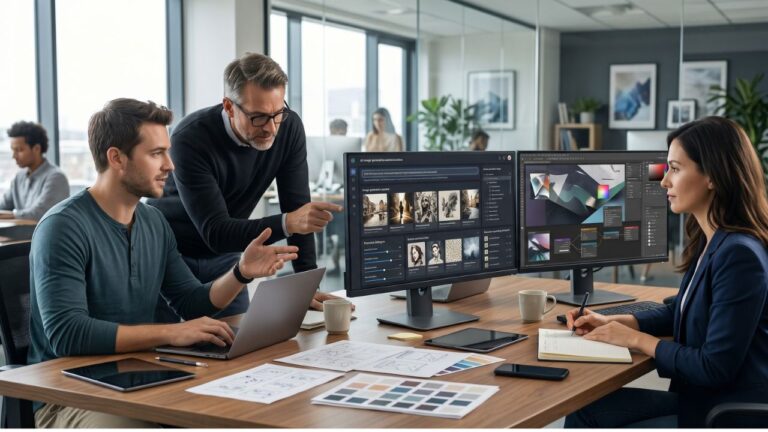
An AI Photo Generator turns written descriptions and, in some tools, reference images into newly generated visuals that can resemble professional photography. That capability helps creators explore product concepts, illustrate articles, produce social media artwork, and test campaign ideas without organising a photoshoot for every draft. However, an impressive picture is not necessarily an accurate one. Artificial intelligence can invent product details, distort hands, misrepresent places, and produce convincing scenes that never occurred. The most effective approach combines thoughtful prompts, careful inspection, human editing, and transparent decisions about where generated imagery belongs.
This guide compares widely used image-generation platforms and explains fifteen practical techniques for improving realism and consistency.
What Is an AI Photo Generator?
An AI photo generator is software that produces an image from text, visual references, or editing instructions using a generative model. You might describe a ceramic mug on a sunlit kitchen counter and receive a realistic-looking composition with lighting, surfaces, and camera perspective. Some platforms also edit an uploaded photograph by replacing objects, extending backgrounds, or adjusting a selected region. Results vary by model, subscription, prompt, and the complexity of the scene.
They do not necessarily know the exact specifications of a product, the appearance of a real location today, or the truth of a reported event.
AI Photography Versus Conventional Photography
A conventional photograph captures light from a scene that existed in front of a camera. A generated photo creates an artificial scene that can look as if a camera captured it. An edited photo may combine real captured content with generated elements. These categories can overlap in professional workflows, but disclosure may be necessary when authenticity is important, particularly in journalism, product claims, or documentary contexts.
Popular Platforms Worth Comparing in 2026
Selecting an AI Photo Generator begins with understanding which kind of work you need to complete. Some services focus on cinematic images, others on iterative editing or design layouts. Models and features change frequently, so test the current version with your own examples rather than assuming an older comparison remains accurate.
ChatGPT Images: Conversational Creation and Editing
ChatGPT supports creating images from plain-language instructions and revising them conversationally. OpenAI introduced Images 2.6 in November 2026, describing improvements in generation speed and consistency across edits. This approach can suit marketing drafts, illustrations, reference-based changes, and users who prefer to refine an image by describing what is wrong rather than adjusting many technical controls.
Inspect whether unrelated objects change. Access, generation limits, and available image quality can depend on the product or plan. Treat generated graphics as drafts until checked against the intended purpose.
Midjourney: Visual Style and Creative Art Direction
Midjourney is known for artistic control, strong visual aesthetics, and variations of an initial composition. Its documentation lists V8.2 as the default model in November 2026, with editing tools for modifying parts of images and exploring alternative framing. It can be useful for editorial concepts, visual mood boards, and projects where atmosphere matters as much as literal product details.
A visually striking image may still alter small product features or depict inaccurate text. Review visibility settings, commercial terms, and subscription conditions before uploading client material.
Adobe Firefly: Creative Workflows and Image Editing
Adobe Firefly provides image generation and generative editing tools within Adobe’s creative ecosystem. It also offers access to selected partner models, making the exact model important when evaluating rights and product claims. Adobe describes its own Firefly models as designed for commercial use and documents certain eligible features under specific contractual protections. That does not mean every generated image is free from legal, trademark, or privacy concerns.
Firefly may appeal to teams already using Adobe products for finishing, layout, and asset production. Verify the applicable model, plan, usage credits, and terms before publishing.
Google Gemini: Image Creation With Conversational Refinement
Google’s Gemini image capabilities include Nano Banana 2, introduced in February 2026, for generation and editing. Google describes support for rapid adjustments and detailed visual results. This can be useful when a creator wants to explore a concept, change a background, or refine a visual through consecutive instructions. The exact experience varies by Gemini product, model, access tier, and region.
Like other generators, Gemini can produce convincing but imperfect details, especially in complex arrangements. Do not treat a realistic generated diagram, logo, or product photo as proof that the depicted information is correct.
Canva: Simple Generation Inside a Design Workspace
Canva offers image creation through features such as Dream Lab and Magic Media, alongside design templates and editing controls. Its advantage for some teams is the ability to place an image directly into social graphics, presentations, or marketing layouts rather than exporting through several applications. It suits creators who need a complete design asset as well as the underlying image.
Check export quality, credit allowances, image rights, and the availability of specific AI features under your account.
15 Proven Tips to Create More Realistic AI Photos
1. Define What the Image Must Communicate
Start with the intended use: a website hero image, product concept, social post, book illustration, or background for text. Decide what the viewer should notice first. A prompt for a product landing page should emphasize the item and leave room for copy, while a lifestyle photograph might need believable human interaction.
2. Describe a Specific Subject and Setting
Replace vague requests such as beautiful workspace with a grounded scene: a freelance designer using a laptop beside a window in a small contemporary studio. Mention the subject, surroundings, important objects, and mood. Specific details give the model a coherent visual direction without forcing it to invent every element. Avoid contradictory demands such as an empty room filled with a busy crowd.
3. Use Camera Language Only When Helpful
Photographic terms can improve art direction when used intentionally. A close-up, wide-angle interior, eye-level portrait, or overhead product shot communicates composition. Soft depth of field may separate the subject from the background. Describing a precise camera model is less important than explaining what should be sharp, how much context should remain, and where the viewer’s attention belongs.
4. Specify Natural Lighting and Materials
Realism often depends on consistent illumination and convincing surfaces. Describe diffused window light, gentle shadows, reflections on glass, fabric texture, or brushed metal according to the scene. Avoid mixing several incompatible light sources without a reason. A believable photograph generally benefits from one clear lighting direction and materials that respond to it consistently.
5. Choose the Aspect Ratio Before Generating
A vertical portrait for an Instagram story needs different framing from a wide blog banner. State the intended orientation, aspect ratio, and space needed for cropping. If a platform does not support the exact output dimensions, generate the nearest useful aspect ratio and finish in an image editor. Do not stretch the file to meet a target size; stretching can distort faces and objects.
6. Add Negative Instructions for Common Problems
Tell the generator what should not appear when it matters: no brand logos, no extra fingers, no visible text, no artificial halos, or no unrelated objects. Negative instructions are not perfect guarantees, and some tools interpret them differently. Always inspect the actual result rather than assuming the request was obeyed.
7. Generate Multiple Concepts Before Refining One
An AI Photo Generator may return several plausible compositions from the same prompt. Compare subject placement, background clutter, colour, and whether the result supports the intended message. Select the strongest version before spending time on tiny corrections. Iteration is more efficient when you choose a clear direction instead of repeatedly asking the system to change every aspect of a weak first attempt.
8. Edit One Important Detail at a Time
When refining a photo, state what must change and what must remain stable. For example, replace the background with a sunlit kitchen while preserving the cup’s shape and camera angle. Large or conflicting edits can alter identities, clothing, or product geometry unintentionally.
9. Use Reference Images Responsibly
Reference photos can help communicate composition, lighting, or an authorised product’s appearance. Only upload images you are permitted to use, particularly when they depict customers, employees, children, or confidential materials. Check whether the service stores uploads or uses them for model improvement according to its settings and terms. Avoid requesting deceptive alterations that would make a real person appear to have done something they did not do.
10. Inspect Hands, Faces, Text, and Reflections
Even impressive outputs can contain subtle defects. Zoom in on fingers, teeth, eyeglasses, packaging, labels, and reflected objects. Check that the perspective makes sense and that the scene has a plausible number of lights and shadows. Generated text may be distorted or inaccurate. For advertising, use verified copy added later in a normal design tool rather than relying on a generated image to reproduce exact legal or product wording.
11. Preserve Brand Consistency Across a Series
Create a short style guide covering framing, colour temperature, background treatment, lighting, and subject scale. Reuse approved references or editing workflows when supported. Save original prompts and document which generator and settings produced the accepted assets to make later revisions easier.
12. Use AI for Concepts, Not Unverified Product Evidence
Generated imagery is excellent for showing how a future product or interior might look. It should not silently replace accurate evidence of what a customer will receive. If a product’s buttons, ports, materials, safety features, or dimensions are important, compare the output with real specifications and authorised photographs. Label illustrative concepts when a reasonable buyer could otherwise mistake them for actual product photos.
13. Build Accessibility Into the Publishing Process
When an image appears on a website, write alt text describing its relevant content and function. A realistic picture of a consultant working at a desk needs a concise visual description, not a list of every object or a repetition of the full article title. Use separate page text for information that cannot reliably be communicated through a visual alone.
14. Export in a Format That Fits the Channel
JPEG is often suitable for photographic blog images, while PNG may be useful for graphics requiring transparency and WebP can offer efficient web delivery where supported. Review pixel dimensions, file size, colour quality, and compression artifacts. Resize a wide image before aggressive compression instead of uploading an enormous original.
15. Keep a Human Approval Step Before Publishing
A finished AI Photo Generator output should be checked for misleading claims, privacy concerns, trademark issues, bias, unintended impersonation, and technical defects. Assign someone to approve images used in advertising, public communications, or sensitive contexts. Record which visuals are illustrative and which are photographs of actual events. That final review protects trust as much as it protects visual quality.
A Prompt Formula That Works for Many Projects
A practical formula is subject plus action, setting, camera perspective, lighting, style, and restrictions. You do not need to fill every category with elaborate adjectives. Give the model enough detail to produce a consistent scene, then refine the result based on what you actually see.
Example: A Realistic Lifestyle Photograph
Imagine an image for a home-office productivity article: an adult professional reviewing notes beside a laptop in a compact apartment workspace, photographed from a three-quarter angle, soft morning window light, natural skin texture, realistic desk clutter, understated neutral colours, horizontal composition, and no logos or readable screen text. This establishes the subject and visual purpose without pretending the scene documents a particular person.
Example: A Product Concept Image
For a fictional skincare product, describe a minimalist amber glass bottle on a pale stone surface, subtle water droplets, clean diffused studio lighting, crisp label-free packaging, and generous empty space at the right for later typography. Inspect shape and proportions before using the result. If marketing an actual product, use accurate packshots or verify every visible detail against approved product materials.
Why Shorter Prompts Sometimes Perform Better
A long prompt can contain competing instructions that reduce consistency. Start with a clear visual description and add details only when the first result leaves something important unresolved. Test how the same wording behaves in different platforms instead of assuming that one universal prompt always produces the same image.
How Much Do AI Photo Generators Cost?
Pricing differs by platform, subscription, image size, generation mode, and usage. Some services provide limited trial or free access, while others sell monthly credits, subscriptions, or API usage. Higher-resolution outputs, premium editing models, commercial workflows, and large generation volumes may affect the total cost. Public pricing can change, so evaluate the current plan at the point of purchase rather than relying on an old article’s advertised figures.
Compare Cost Per Usable Image
A low price per generation is not necessarily cheap if most attempts are unusable. Track how many drafts you need, how long manual editing takes, and whether the service allows the required export format and commercial use. Compare the cost of a publishable asset, not just a single generated file.
Should You Use a Free or Paid Tool?
Paid tiers may offer higher limits, additional editing capability, privacy controls, or priority processing. Verify those benefits individually. Do not upload confidential client material to a free service without checking its data-handling policies and your permission to share that material.
Copyright, Commercial Rights, and Disclosure
An image can be permitted for commercial use under a platform’s terms without being automatically protected by copyright in the way a traditional human-authored photograph is. The US Copyright Office has explained that AI assistance does not disqualify an otherwise human-authored work, but protection depends on sufficient human creative authorship rather than merely supplying a prompt. The treatment of a specific image depends on its facts and applicable law.
Commercial Permission Is Not a Universal Legal Guarantee
Read the terms for the actual generator and model used. Consider trademarks, likeness rights, copyrighted reference images, and false advertising risks separately. Adobe’s commercial-use descriptions apply to particular models and eligible features, not every conceivable use of every third-party model.
Be Transparent When Authenticity Matters
A generated restaurant interior should not be presented as a documentary photo of the venue. A synthetic portrait should not imply an actual customer endorsement. News, health, political, and legal contexts may call for especially clear disclosure because readers could treat realism as evidence. Content provenance and metadata tools may help communicate how an asset was created, but metadata can be lost during editing or uploading. Editorial judgment remains essential.
Common Problems and How to Fix Them
If an output looks artificial, simplify the scene, use more coherent lighting, and reduce overly dramatic descriptors. If a product changes shape between versions, provide an authorised reference and request a narrow edit. If text is garbled, generate the photograph without lettering and add verified typography afterward. If a subject appears inconsistent across images, use the platform’s supported reference and consistency features, then inspect results manually.
An AI Photo Generator can accelerate visual exploration, but no model should be treated as a source of truth about a real person or event. For SEO, original, useful images with accurate alt text and sensible compression are more valuable than mass-produced pictures that do not help a reader understand the page.
Frequently Asked Questions
1. What is the best AI photo generator for beginners?
ChatGPT Images and Canva can be accessible starting points for conversational prompts or design-oriented workflows. The best option depends on your editing needs, plan, and desired output.
2. Can AI generate realistic photographs from text?
Yes. Modern tools can produce photorealistic scenes from detailed descriptions, but hands, text, product details, and other elements still need careful review.
3. Are AI-generated photos free to use commercially?
Not automatically. Usage rights differ by provider, model, subscription, and content. Commercial permission also does not eliminate trademark, privacy, or advertising concerns.
4. Which image format should I use for a blog?
JPEG or WebP is commonly suitable for photographs. Choose useful pixel dimensions, preserve legibility, and compress the image without noticeable artifacts.
5. Can an AI generator edit an existing photo?
Many platforms can modify backgrounds, replace selected objects, extend scenes, or apply targeted edits. Use reference photos only with appropriate rights and permissions.
6. Do AI-generated images receive copyright protection?
US copyright protection generally requires sufficient human authorship. AI assistance may be part of a protected work, but purely machine-generated material can raise eligibility issues.
Conclusion
An AI Photo Generator can help creators develop convincing visuals faster, especially when clear prompts and careful editing support a defined purpose. Compare platforms using your own projects, and judge results by accuracy, consistency, cost, and usability rather than appearance alone. Review commercial rights, protect private references, and disclose synthetic imagery when authenticity matters. With responsible human oversight, AI photography becomes a practical creative tool instead of a shortcut that risks misleading viewers.


