

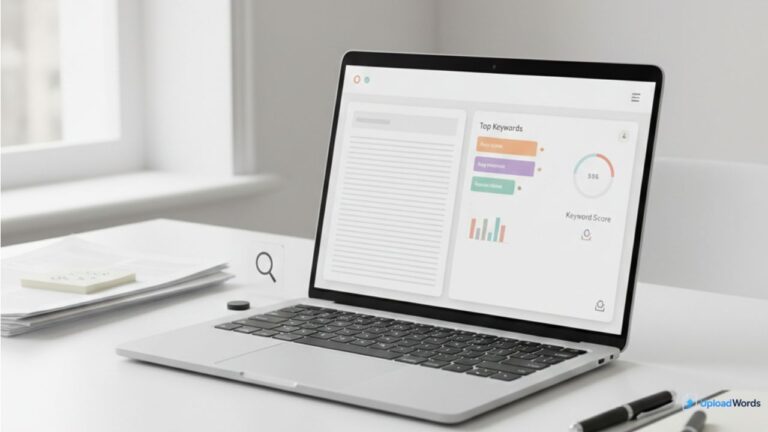
If you want to rank on Google, write better content, or simply understand what a paragraph is really about, you need one thing: keywords. The easiest way to improve any draft is to analyze it and find the terms it repeats most.
This guide will show you how to find top keywords from text in a clean, beginner-friendly way—using a free browser tool. You’ll learn what “top keywords” mean, why keyword frequency matters, and how to filter results so you only see meaningful words.
What are “top keywords” in a text?
“Top keywords” are the words and phrases that appear most often in your text. They usually reveal:
- what your content is mainly about
- which terms you repeat too much
- whether your main topic is clear or drifting
- how readable your draft is (filler words vs meaningful words)
For example, if your article is about “word count tools,” you’d expect words like “word count,” “tool,” “text,” “keywords,” and “analysis” to appear often. If your top keywords are mostly generic words like “good,” “thing,” “very,” your writing may be unclear or too casual.
Top keywords are not only for SEO. Students use them to improve clarity, writers use them to reduce repetition, and marketers use them to match search intent.
Why keyword frequency matters
Keyword frequency means how many times a word appears in your text. Frequency matters because it helps you answer practical questions quickly:
- Is my main topic obvious?
- Did I mention the key term enough to make the article focused?
- Am I repeating the same word so often that it sounds unnatural?
- Did I accidentally shift the topic in the middle?
Keyword frequency is not the same as “keyword stuffing.” The goal isn’t to repeat the same phrase again and again. The goal is to create content that is clearly about one topic, with natural supporting terms.
How to find top keywords from text (step-by-step)
You can find top keywords from any text in under a minute. Here’s a simple workflow using Upload Words.
Step 1: Open the tool
Go to: Upload Words
Step 2: Paste your text
Paste any content you want to analyze, such as:
- a blog post draft
- a school assignment
- a product description
- an email or message
- AI-generated content you want to refine
Step 3: Check the Top Keywords table
After you paste, you’ll see a table showing the most frequent words. This is your “top keywords” list.
Now ask:
- Do the top results match the topic I intended?
- Is my focus phrase showing up naturally?
- Do I see repeated filler words that I should remove?
Step 4: Preview the word cloud
The word cloud is a quick visual summary. Bigger words = higher frequency. It’s useful for spotting the dominant topic at a glance.
How to get cleaner keyword results (filters: stopwords + minimum length)
If your top keywords list looks messy, don’t worry—this is normal. Most texts contain lots of short common words. That’s why filters exist.
1) Stopwords filter (remove common words)
Stopwords are common words like “the,” “and,” “to,” “is,” “in.” If stopwords are included, they often dominate the keyword list and hide the important words.
So for SEO or topic analysis:
- Turn stopwords ON to hide common words
- Turn stopwords OFF if you want a full language check
After toggling stopwords, run the analysis again and your keyword list should become much more useful. You can do this directly inside Upload Words.
2) Minimum word length (focus on real topic words)
Minimum word length helps you ignore tiny words and focus on meaningful terms.
Good settings to try:
- 3 (balanced)
- 4 (more focused for SEO)
If your results still include too many short words, increase the minimum length. If your results look too limited, reduce it. Again, you can adjust this in Upload Words and the keyword table will refresh.
How to interpret your top keywords (what to do next)
Finding keywords is step one. The real value comes from using those results to improve your content.
1) Confirm the topic is clear
If your top keywords match your intended topic, you’re on the right track. This usually means the reader (and search engines) will understand what the content is about.
2) Fix repetition
If one word dominates too much, your writing can sound repetitive. Replace repeated words with more specific terms, combine sentences, or rewrite sections for variety.
3) Add missing supporting terms
If your article is about “find top keywords from text,” you might naturally include related phrases like:
- keyword frequency
- stopwords
- word cloud
- text analysis
If none of these appear, consider adding a short section that explains them. It will help users and improve topical coverage.
4) Use top keywords to improve headings
Often, your top keywords show you what headings would make sense. If “keyword frequency” is appearing frequently, it’s a hint that a dedicated heading could improve structure. The same approach can be useful when planning content for a magazine maker, where clear topics and well-structured sections help keep the final publication focused.
Common mistakes when finding top keywords
- Not filtering stopwords: results look useless because “the/and/to” dominate.
- Using minimum word length too high: you may remove important words (like “SEO”).
- Thinking frequency = ranking: frequency is helpful, but content quality and intent matter more.
- Ignoring context: a keyword can repeat often but still not match your target topic.
FAQs + conclusion
Is it free to find top keywords from text?
Yes. You can paste your text and analyze keyword frequency for free using the tool.
Can I use this for school assignments?
Yes. Top keywords help you see what your writing emphasizes and whether your main point is clear. It’s also useful for spotting repetition.
What’s the best setting for stopwords and minimum length?
For most drafts: stopwords ON and minimum word length 3–4. This usually shows meaningful keywords instead of filler words.
Conclusion: If you want faster editing and clearer writing, learning how to find top keywords from text is one of the simplest upgrades you can make. Paste your draft, check keyword frequency, use stopwords and minimum length filters, and refine your writing based on what the data shows.
Need help using the tool or understanding results? Visit the FAQ.
Want instant word count, top keywords, and a word cloud?
👉 Upload Words tool
Need help? See: /faq/

As a digital marketer, she has received multiple international awards, including Campaign of the Year at the 2023 European Content Awards and Best Use of Content Marketing at the 2022 Global Search Awards. Nicai holds an MSc in Marketing (First Class Honours) from the UCD Smurfit Graduate Business School and she has also completed the Artificial Intelligence Programme at Oxford University’s Saïd Business School. She is also a contributing writer for publications such as Entrepreneur and Esquire.

