

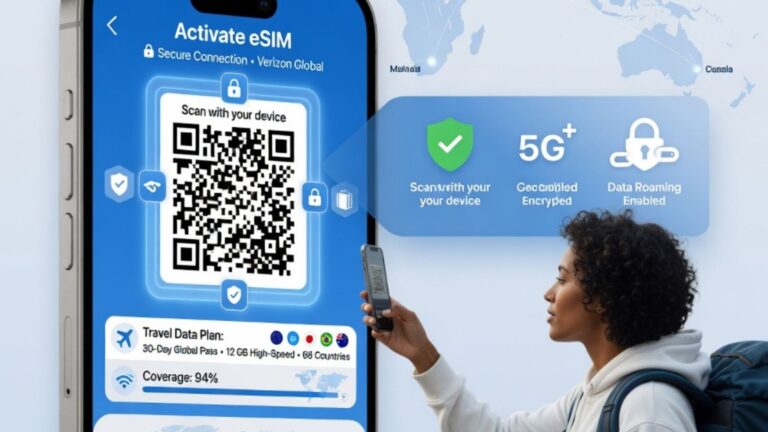
Before buying a digital travel data plan or switching from a physical SIM card, many users ask the same question: Is My Phone Compatible for eSIM? The answer depends on three main factors: your phone model, whether the device supports eSIM technology, and whether the phone is unlocked or allowed to use another carrier’s mobile plan. eSIM can be extremely convenient for travel, business, remote work, and dual-number use, but it only works when your device and network conditions support it.
An eSIM, or embedded SIM, is a digital version of a SIM card built into your phone or device. Instead of inserting a plastic SIM card, users can activate a mobile plan through a QR code, app, or manual activation details. This makes it easier to add a temporary travel data plan, switch networks, or use multiple mobile plans on one device.
However, not every phone supports eSIM. Even some newer phones may have regional differences, carrier restrictions, or software limitations. That is why checking compatibility before purchase is essential.
Is My Phone Compatible for eSIM? Start With the Basics
The easiest way to check eSIM compatibility is to look inside your phone settings. If your phone supports eSIM, you will usually see an option to add a mobile plan, add eSIM, scan a QR code, or manage SIMs digitally.
On iPhone, you can usually check by going to:
- Settings
- Cellular or Mobile Service
- Add eSIM or Add Cellular Plan
On many Android phones, you can check by going to:
- Settings
- Network & Internet or Connections
- SIMs, SIM Manager, or Mobile Network
- Add eSIM or Add Mobile Plan
The wording may vary depending on the phone brand, Android version, carrier, and country. If you do not see an eSIM option, your phone may not support eSIM, or the feature may be disabled by region or carrier.
You can also check your phone’s exact model number in the device settings and compare it with the manufacturer’s official specifications.
What Is eSIM and How Does It Work?
An eSIM is a small chip built into a compatible device. It works like a traditional SIM card but does not need to be physically removed or inserted. Instead, a mobile plan is downloaded and activated digitally.
A typical eSIM setup may involve:
- Buying an eSIM plan
- Receiving a QR code or activation details
- Opening phone settings
- Scanning the QR code
- Downloading the eSIM profile
- Selecting the eSIM for data, calls, or messages
- Turning on data roaming if required for travel plans
For travel eSIMs, users often activate the plan before leaving home or after arriving at their destination. Some plans are data-only, while others may support calls and texts depending on the provider and destination.
The biggest advantage of eSIM is convenience. You can often keep your regular phone number active while using a separate travel data plan.
Is My Phone Compatible for eSIM on iPhone?
Many recent iPhone models support eSIM, but compatibility can vary by model, region, and carrier. Some iPhones support both a physical SIM and eSIM, while others in certain markets may rely heavily on eSIM.
To check iPhone eSIM support, go to Settings and look for the option to add an eSIM under Cellular or Mobile Service. You can also check the device information section for available IMEI numbers. Phones with eSIM support often show a second IMEI or digital SIM-related details.
Important iPhone compatibility checks include:
- Does your iPhone model support eSIM?
- Is the phone unlocked?
- Is your iOS software updated?
- Is eSIM supported in your region?
- Does your carrier allow eSIM activation?
If your iPhone is locked to one carrier, you may not be able to use a third-party travel eSIM until the phone is unlocked.
Is My Phone Compatible for eSIM on Android?
Many Android phones support eSIM, especially newer flagship and premium models from brands such as Samsung, Google Pixel, Motorola, and others. However, Android compatibility is more variable than iPhone compatibility because manufacturers, regions, and carriers may handle eSIM support differently.
To check Android eSIM support, open your phone settings and search for terms such as:
- eSIM
- SIM Manager
- Add SIM
- Download SIM
- Mobile plan
- Network settings
If your phone supports eSIM, it may allow you to scan a QR code or download a digital SIM profile. If the option does not appear, check your model number and manufacturer specifications.
Some Android phones may support eSIM in one country but not in another. This is why checking the exact model is more reliable than checking only the brand name.
Why an Unlocked Phone Matters for eSIM
Even if your phone supports eSIM technology, it may not work with a new eSIM provider if the device is carrier locked. A locked phone is restricted to one mobile network or carrier. This can prevent users from adding a travel eSIM or another mobile plan.
To check whether your phone is unlocked, you can:
- Contact your current carrier
- Check your account or device status
- Try another SIM or eSIM from a different provider
- Review your phone purchase agreement
- Check carrier settings where available
If your phone is still under a payment plan, contract, or carrier restriction, it may remain locked until requirements are met. Always confirm unlock status before buying an eSIM plan, especially for international travel.
eSIM Compatibility for Travel Data Plans
Travel eSIMs are popular because they allow users to access mobile data abroad without buying a physical local SIM card. This can be useful for maps, messaging apps, ride-hailing, hotel bookings, email, translation apps, and remote work.
Before buying a travel eSIM, check:
- Your phone supports eSIM
- Your phone is unlocked
- The destination country is covered
- The plan includes enough data
- The validity period matches your trip
- The plan is data-only or includes calls/texts
- Data roaming instructions are clear
- Your phone supports the required network bands
Some users assume that eSIM compatibility automatically means the plan will work everywhere. That is not always true. Coverage depends on local network partners, destination support, device bands, and activation settings.
Benefits of Using an eSIM-Compatible Phone
An eSIM-compatible phone can make mobile connectivity easier, especially for frequent travelers and people who manage multiple numbers.
Common benefits include:
- No need to insert a physical SIM
- Faster travel data setup
- Ability to keep your main SIM active
- Easier switching between plans
- Useful for business and personal numbers
- Less risk of losing a physical SIM
- Convenient online activation
- Helpful for short international trips
For people who travel often, eSIM can reduce the hassle of finding local SIM shops, dealing with language barriers, or changing physical cards at the airport.
Common Reasons eSIM Does Not Work
Sometimes users have an eSIM-compatible phone but still face activation problems. This may happen for several reasons.
Common issues include:
- Phone is carrier locked
- Wrong QR code scanning process
- eSIM already installed on another device
- Poor internet during activation
- Outdated phone software
- Destination plan not active yet
- Data roaming turned off
- Incorrect SIM selected for mobile data
- Unsupported phone region
- Network coverage limitations
If an eSIM does not work immediately, check activation instructions carefully. Restarting the phone, updating software, selecting the eSIM for mobile data, and enabling roaming can solve many common issues.
How to Check eSIM Support Before Buying a Plan
Before purchasing an eSIM plan, take a few minutes to confirm compatibility. This can prevent wasted time and avoid buying a plan your phone cannot use.
Use this checklist:
- Find your exact phone model
- Confirm eSIM support in settings
- Check whether the device is unlocked
- Update your operating system
- Confirm destination coverage
- Review plan type and validity
- Check whether the plan is data-only
- Read activation instructions
- Make sure you have internet for setup
- Save the QR code or manual details securely
Do not rely only on the phone’s brand name. Always check the exact model and region because compatibility can vary.
eSIM Safety and Privacy Tips
eSIM technology is convenient, but users should still be careful. Only purchase eSIM plans from providers you trust, and avoid scanning QR codes from unknown sources. An eSIM profile gives access to mobile network services, so activation details should be handled securely.
Helpful safety tips include:
- Do not share your eSIM QR code publicly
- Keep activation emails secure
- Avoid buying from suspicious websites
- Check refund and support policies
- Remove expired eSIM profiles when no longer needed
- Use strong phone security
- Keep your device updated
- Contact support if activation fails
For business travelers, it is also wise to confirm company data policies before using international mobile plans.
Conclusion: Is My Phone Compatible for eSIM?
Is My Phone Compatible for eSIM? The best way to answer is to check your phone model, look for eSIM options in settings, confirm the device is unlocked, and review the requirements of the eSIM plan you want to buy. eSIM can be a convenient option for travel data, dual SIM use, business connectivity, and flexible mobile plans, but it only works when your device, carrier status, software, and destination coverage are compatible. Before purchasing any eSIM, verify your exact phone model and follow the activation instructions carefully for a smoother setup.
FAQs
What does eSIM compatible mean?
eSIM compatible means your phone has built-in digital SIM technology and can download a mobile plan without using a physical SIM card.
How do I know if my phone supports eSIM?
Check your phone settings for options like Add eSIM, Add Cellular Plan, SIM Manager, or Download SIM.
Can I use eSIM if my phone is locked?
Usually no. A carrier-locked phone may block eSIM plans from other providers until the device is unlocked.
Does eSIM work for international travel?
Yes, eSIM can work for international travel if your phone is compatible, unlocked, and the plan covers your destination.
Can I use a physical SIM and eSIM together?
Many compatible phones support dual SIM use, allowing one physical SIM and one eSIM, but this depends on the model.
Why is my eSIM not activating?
Common reasons include carrier lock, poor internet, outdated software, incorrect settings, expired QR code, or unsupported destination coverage.


