

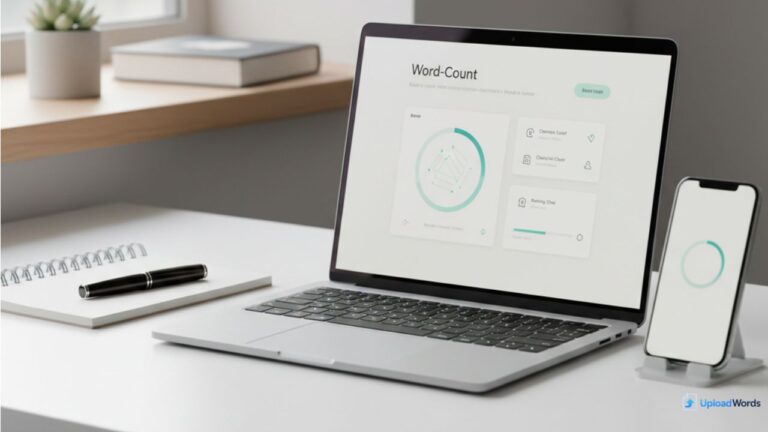
Writing is easier when you can measure what you’ve written. Whether you’re a student trying to hit a word limit, a writer polishing a story, or a content creator preparing a blog post, a word count tool helps you stay on track without guessing.
A good tool doesn’t just tell you “how many words.” It can also reveal character count, highlight top keywords, and even generate a word cloud so you can instantly see what your text is focusing on.
If you want a fast, browser-based option, start with the Upload Words tool—paste your text and get word count + keyword insights in seconds.
What is a word count tool?
A word count tool is a simple text analyzer that counts how many words are in a piece of writing. Most modern word counters do more than that:
- Word count (total words)
- Character count (with/without spaces depending on the tool)
- Keyword frequency (which words appear most often)
- Word cloud preview (visual display of frequently used words)
Students and writers often use word counters because they help with:
- meeting assignment requirements
- staying within strict limits (essays, captions, summaries)
- improving clarity and reducing repetition
- making edits more intentional
A tool like UploadWords is especially useful because it doesn’t require a login or installation—just paste your text and review the results.
Word count vs character count
Many people think word count is the only thing that matters. But character count is just as important in certain situations.
Word count (best for)
Word count is usually the main requirement for:
- essays and assignments (“Write 800–1000 words”)
- blog posts (content length planning)
- stories and scripts (draft tracking)
- reports and research summaries
Word count is a quick way to answer:
- Am I too short?
- Am I too long?
- Did I cut enough during editing?
Character count (best for)
Character count matters when space is limited, for example:
- meta descriptions
- titles and headlines
- application forms
- social media posts
- SMS-style writing
- short summaries
Sometimes, the requirement is written like:
- “Maximum 3000 characters”
- “Keep it under 160 characters”
That’s where character count becomes the real target. Many writers use both word and character count together—especially when preparing content for the web.
Word count tells you how long your writing is in ideas and sentences. Character count tells you how long it is in space and formatting.
Best use cases (students, writers, marketers)
A word count tool is helpful for almost anyone who writes. Here are the most common real-world use cases.
1) Students: Hit word limits without stress
If you’re a student, you’ve probably faced:
- a minimum limit (“at least 1200 words”)
- a maximum limit (“not more than 1500 words”)
- a strict submission format
A word count tool helps you:
- confirm you meet the requirement
- track progress while drafting
- edit smarter (cut unnecessary parts)
- avoid last-minute panic
It’s also useful when teachers ask for summaries or short answers where going over the limit may reduce marks.
2) Writers: Improve flow and reduce repetition
Writers (fiction or nonfiction) use word count tools to:
- track daily writing goals
- maintain pacing across chapters
- compare draft lengths
- spot repeated words
If your keyword list shows the same adjective or phrase repeating again and again, it may be time to rewrite or replace words with more specific language.
A word cloud can also reveal writing patterns. If a character’s name is huge in the word cloud, that might be fine—but if filler words dominate, it’s a signal to tighten the text.
3) Marketers: Optimize content and copy
For marketers and SEO writers, word count tools do more than meet a word target.
They help with:
- maintaining consistent content length across articles
- optimizing headings and meta descriptions
- checking keyword usage (without overstuffing)
- preparing product descriptions that fit layout limits
When you can see top keywords, you quickly learn whether your draft is staying on topic. If your focus keyword is “word count tool,” but it barely appears, you can fix it before publishing.
4) Anyone editing: Save time with instant feedback
Even if you’re not a student, writer, or marketer, word counting is useful when:
- editing a resume
- writing a cover letter
- preparing a speech
- sending professional messages
- trimming content for readability
A fast tool can cut editing time dramatically because you don’t have to guess what to remove—you can measure the impact of each edit instantly.
How to use UploadWords in 30 seconds
UploadWords is designed for speed. Here’s a simple 30-second workflow:
Step 1: Paste your text
Open the tool page and paste your writing:
- essay
- blog draft
- story chapter
- notes
- copywriting draft
Step 2: Check word count + character count
Right away you’ll see:
- total words
- total characters
This answers the basic question: “Am I within the requirement?”
Step 3: Review top keywords
Look at the top keywords list:
- Are the main topic words showing up?
- Are you repeating the same word too much?
- Are generic words dominating?
Step 4: Adjust settings (optional)
If you want cleaner keyword results:
- toggle stopwords (filter common words)
- set minimum word length (e.g., 3 or 4)
These settings help you focus on meaningful keywords instead of small filler words.
Step 5: Use word cloud (optional)
If you want a visual summary, check the word cloud preview. You can also export it as an image for reports or sharing.
FAQs + conclusion
Does a word count tool store my text?
Most modern word counters are designed to process text quickly. For privacy-related details, always check the site’s policy and tool behavior.
Why do my top keywords look wrong?
This usually happens when:
- stopwords are included (so “the” and “and” dominate)
- minimum word length is too low
- the text has repeated headings or lists
Try toggling stopwords and increasing the minimum word length.
Can a word count tool help me write better?
Yes—because it reveals patterns you may not notice, like repetition, filler words, or topic drift. It’s a quick editing mirror.
Conclusion: A word count tool isn’t just for meeting a number. It helps you write with clearer structure, edit faster, stay within limits, and understand what your text emphasizes (keywords). For students, it reduces stress. For writers, it improves flow. For marketers, it supports better content decisions.
If you have any questions or want to report a problem, you can contact UploadWords.
Want instant word count, top keywords, and a word cloud?
👉 Upload Words tool
Need help? See: /faq/

As a digital marketer, she has received multiple international awards, including Campaign of the Year at the 2023 European Content Awards and Best Use of Content Marketing at the 2022 Global Search Awards. Nicai holds an MSc in Marketing (First Class Honours) from the UCD Smurfit Graduate Business School and she has also completed the Artificial Intelligence Programme at Oxford University’s Saïd Business School. She is also a contributing writer for publications such as Entrepreneur and Esquire.

