

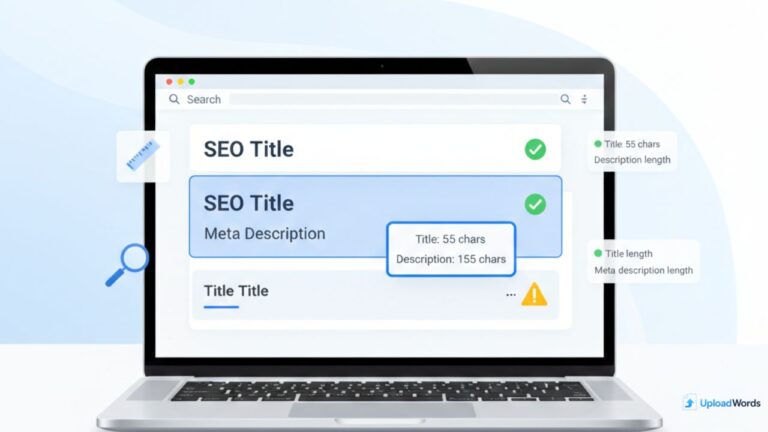
If your SEO title or meta description is too long, Google may truncate it with “…” in the search results. If it’s too short or weak, people may skip your page even if it ranks. That’s why understanding meta description length (and getting the title right) matters for click-through rate, clarity, and snippet quality.
The easiest way to avoid truncation is to check characters before publishing. Use this: character count tool to measure titles and descriptions quickly—especially when you’re editing multiple pages.
In this guide, you’ll learn why character count matters, practical best practices for SEO title length and meta description length, how to check character count fast, and the common mistakes that reduce CTR.
Why Character Count Matters for SEO Snippets
Your snippet is often your “first impression” in search. Even if your content is great, a cut-off or confusing snippet can lower clicks. Character count matters because search engines display only a limited amount of text in the visible snippet area. When your title or description exceeds that space, users may see incomplete meaning, missing benefits, or an awkward ending.
Here’s what character limits affect in real life:
- Clarity: A clean title and description explain what the page is about fast.
- CTR (click-through rate): Better snippets earn more clicks from the same ranking.
- Trust: Well-written snippets feel professional; messy ones look spammy.
- Keyword relevance: You want key terms visible early (especially on mobile).
Important note: Google sometimes rewrites titles and meta descriptions. But that’s not a reason to ignore them—strong, properly sized metadata still improves your chances of getting a good snippet and higher CTR.
SEO Title Length Best Practices
SEO title length is not about chasing a perfect number—it’s about fitting a clear message into a limited space. Titles that are too long risk truncation. Titles that are too short often miss context or benefits.
What’s a “good” title length?
As a practical target, many SEOs aim for roughly 50–60 characters for title tags. This range helps prevent truncation across many devices and layouts. Still, results vary because Google measures display space in pixels, not just characters. Wide letters (like “W”) take more space than narrow ones (like “i”).
Put the main topic early
Because the visible space is limited, your main topic should be near the front. If your key phrase is at the end, it might get cut off. A strong pattern is:
- Main topic + outcome/benefit + (optional) brand
Example formats (adapt them to your site’s tone):
- “SEO Title Length: Best Practices + Examples”
- “Meta Description Length: Ideal Limits + Tips”
- “Character Count Guide: Titles & Descriptions That Don’t Truncate”
Write for humans first (then SEO)
A title should make sense even if someone sees it without context. Avoid keyword-only titles that read like a list. Instead, focus on a clear promise: what the user will learn or get by clicking.
Avoid unnecessary words
Shortening a title doesn’t mean making it vague. Remove filler words that don’t change meaning, such as “really,” “very,” or long phrases like “the ultimate guide to.” You can often replace “guide to” with “guide” or remove it entirely if the title already shows it’s instructional.
Meta Description Length Best Practices
Meta description length matters because it influences how much of your message appears under the title in search results. A well-sized description can boost clicks by clearly explaining what the page offers and why it’s relevant.
What’s a practical target for meta descriptions?
A common, practical range is roughly 140–160 characters. This often helps avoid truncation while giving you enough space to communicate value. However, like titles, Google displays descriptions based on pixel width and device. Sometimes longer descriptions show more, and sometimes they truncate sooner.
Write a mini “ad” for your page
Think of the description as a short pitch. A strong meta description usually includes:
- What the page is about (in plain language)
- Who it’s for (students, marketers, bloggers, etc.)
- Benefit (what they’ll learn or solve)
- Soft CTA (“Learn,” “See tips,” “Check examples”)
Example structure:
“Learn ideal SEO title and meta description lengths, avoid truncation, and boost CTR with a fast character count method.”
Include the main idea early
Even if Google truncates, users should still see the key meaning. Put the core topic and benefit in the first half of the description.
Avoid keyword stuffing
Repeating the same keyword again and again can make the snippet look spammy. Use your primary topic naturally, then focus on readability. A clean description often performs better than an over-optimized one.
How to Check Character Count Fast (Tool Method)
If you manage multiple pages (or you’re editing titles and descriptions in batches), you need a fast way to measure characters. One simple workflow is to draft your title and description, then paste them into a counter to verify length before publishing.
For quick checks while you write, you can use character count tool online to paste and measure text instantly. (Use it once per page update to confirm your final snippet length.)
Step-by-step workflow
- Step 1: Draft 2–3 title options (keep the main topic near the start).
- Step 2: Draft 2 description options (one benefit-focused, one problem/solution).
- Step 3: Paste each into an online character count tool and check the character totals.
- Step 4: Shorten by removing filler, extra adjectives, or repeating phrases.
- Step 5: Re-check once more, then publish.
Pro tip: If your description is too long, don’t delete the important part—move it earlier. You can often keep the same message just by reorganizing the sentence.
Also, remember that tools measure characters, while Google’s display depends on pixel width. The goal isn’t perfection—it’s writing clean metadata that stays readable and usually avoids truncation.
Mistakes to Avoid (Stuffing, Truncation, Weak CTR)
Even if your lengths are “correct,” your snippet can still perform poorly if you make common mistakes. Avoid these issues to improve clicks and relevance:
1) Keyword stuffing
Stuffing keywords into titles and descriptions often lowers trust. It can also make Google more likely to rewrite your snippet. Use your topic naturally, then focus on clarity.
2) Titles that don’t match the page
If your title promises one thing and your content delivers another, users bounce. That can hurt performance over time. Make sure your title reflects the real value on the page.
3) Generic descriptions with no benefit
Descriptions like “This page is about SEO titles and meta descriptions” waste space. Instead, explain what the user gets: best lengths, examples, tool method, and how to avoid truncation.
4) Overusing separators and ALL CAPS
Too many pipes (|) and excessive capitalization can look spammy. Keep formatting simple and easy to read.
5) Ignoring mobile
Mobile snippets can truncate differently. Put the most important meaning early so your message stays intact even if the end is cut off.
FAQs + Conclusion
FAQs
1) What is the ideal meta description length for SEO?
A practical target is often around 140–160 characters, but Google may display more or less depending on device and layout. Keep the main meaning early to reduce the impact of truncation.
2) What is a good SEO title length?
Many pages perform well with titles around 50–60 characters. Since Google displays titles based on pixel width, focus on clarity and put the main topic near the start.
3) Does Google always use my meta description?
No. Google sometimes rewrites descriptions based on the query and page content. Still, a clear, well-sized meta description improves your chances of getting a good snippet and better CTR.
4) Should I include keywords in my title and meta description?
Include your main topic naturally, but avoid stuffing. A readable title and description usually outperform keyword-heavy metadata that looks spammy.
5) What’s the fastest way to check title and description character count?
Draft your metadata, then paste it into a character counter to confirm length before publishing. This helps you avoid truncation and keep your snippet readable.
Conclusion
Good snippets are short, clear, and benefit-focused. Keep your SEO title tight, place the main topic early, and write a meta description that explains value in a natural way. Then confirm the character count before publishing—this small step can improve CTR and make your pages look more professional in search results.
If you want more help using UploadWords tools and best practices, visit: UploadWords FAQs.
Universal: Quick Tools for Better Writing & SEO
Use these tools to write cleaner content and publish stronger SEO snippets:
- Character Count Tool (titles, descriptions, bios, and more)
- UploadWords (paste text and analyze word/character counts)
- UploadWords FAQs (guides, answers, and best practices)
Tip: Put the main meaning early. If truncation happens, your snippet still makes sense.

As a digital marketer, she has received multiple international awards, including Campaign of the Year at the 2023 European Content Awards and Best Use of Content Marketing at the 2022 Global Search Awards. Nicai holds an MSc in Marketing (First Class Honours) from the UCD Smurfit Graduate Business School and she has also completed the Artificial Intelligence Programme at Oxford University’s Saïd Business School. She is also a contributing writer for publications such as Entrepreneur and Esquire.

