

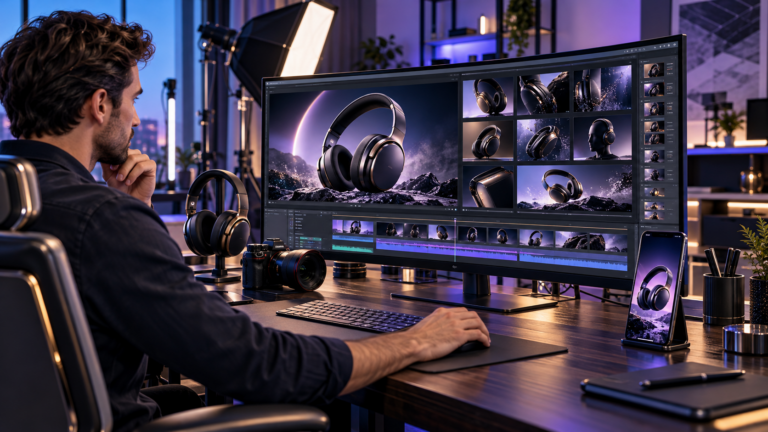
Product videos have become an important part of digital marketing because they help customers understand how products look, function, and fit into everyday life. However, traditional video production can require expensive equipment, professional editing skills, and considerable preparation. An AI product video generator offers an alternative by helping businesses transform product photographs, written descriptions, and existing creative assets into engaging promotional videos.
For online retailers, content creators, and marketing teams, these tools can simplify the production of product demonstrations, social media advertisements, and visual marketing campaigns. Instead of building every scene manually, users can guide automated video generation through images, instructions, and creative settings.
Nevertheless, attractive visuals do not automatically lead to better sales. Successful product marketing still depends on accurate information, thoughtful storytelling, consistent branding, and a clear understanding of the target audience.
This guide explores how AI powered product video creation works, seven practical strategies for improving results, and important considerations for choosing tools and publishing professional marketing content.
What Is an AI Product Video Generator?
An AI product video generator is a digital tool that uses artificial intelligence to create promotional video content from inputs such as product photographs, descriptions, visual references, or existing footage.
Depending on the platform, it may generate realistic movement, combine images into scenes, introduce virtual camera effects, or help produce advertisements using templates and automated editing.
For example, a retailer selling a wristwatch could upload a product photograph and request a short video featuring a rotating camera perspective and controlled studio lighting.
The generated clip may provide a useful starting point for a promotional campaign.
However, the retailer must still verify that the resulting watch accurately represents the product being sold.
How Does AI Product Video Generation Work?
Generative video systems use trained machine learning models to interpret visual and written information.
When a user uploads a photograph, the system can identify visible shapes, surfaces, colours, and spatial relationships.
It then generates additional visual frames intended to create motion.
Some platforms use an existing product image as the starting frame, while others combine product information with automated scene templates.
The precise process depends on the selected model and software.
Image to Video vs Traditional Video Editing
Traditional editing arranges and modifies existing recorded footage.
AI video generation can create visual sequences that were never physically recorded.
For example, conventional editing might animate a still photograph with a basic zoom effect. A generative system could instead attempt to create changing reflections, moving backgrounds, or a simulated camera movement around the object.
Both approaches can be useful, but generated details require closer inspection because they may not accurately represent the physical product.
Why Businesses Use AI Product Video Generators
Modern online stores often need visual content for product pages, social media channels, advertising campaigns, and seasonal promotions.
Producing separate videos for every product can be difficult, particularly for businesses managing large catalogues.
AI assisted workflows provide a way to experiment with different creative concepts using existing marketing assets.
Faster Creative Experimentation
Businesses can prepare alternative visual concepts without arranging a completely new photoshoot for every idea.
For instance, one approved product image might support several variations featuring different backgrounds, camera movements, or introductory scenes.
This allows marketers to explore different approaches before selecting material for a campaign.
More Flexible Content Production
Product video tools can support several marketing formats, including social media clips, ecommerce advertisements, product introductions, and website demonstrations.
However, individual platforms have different export options, generation limits, and commercial licensing terms.
Businesses should confirm these details before adopting a production workflow.
Potential Production Savings
AI generation may reduce some expenses associated with filming, location arrangements, and basic animation.
Nevertheless, subscriptions, generation credits, editing, quality control, and licensing can introduce their own costs.
The actual savings depend on the project.
AI production should therefore be evaluated according to the quality and usefulness of the finished content rather than the apparent speed of generation alone.
7 Powerful Strategies for Creating Better AI Product Videos
Producing an effective video involves more than selecting a product image and requesting dramatic animation.
The following strategies focus on visual accuracy, audience expectations, production efficiency, and marketing performance.
1. Start With Clear, Professional Product Images
A strong source image provides the foundation for successful AI product video generation.
Low quality photographs can make it harder for a model to preserve important product details.
Images with blurred edges, distorted packaging, excessive compression, or poor lighting may produce inconsistent results.
Choose Images That Show the Product Clearly
Use photographs with sufficient resolution and accurate colours.
For simple product presentations, a clean background can help the generator distinguish the object from its surroundings.
Lifestyle photographs can also work when the subject remains clearly visible.
Before uploading, remove unnecessary visual clutter and select an image that communicates the product’s main appearance.
Preserve Product Identity
An AI generated video should not unintentionally modify the item being advertised.
For example, the shape of a handbag, the number of buttons on an appliance, or the design of a shoe should remain consistent with the actual product.
Why Product Accuracy Matters
Customers rely on advertising to make purchasing decisions.
If generated footage shows features, accessories, or capabilities that the real item does not possess, the advertisement may create misleading expectations.
Therefore, compare every important frame against approved product photographs.
2. Write Specific Prompts for Natural Movement
A well written prompt tells the generator what should happen during the scene.
Vague instructions such as “make an amazing video” provide limited creative direction.
Instead, describe the camera movement, subject behaviour, lighting, and intended atmosphere.
Use Simple Motion Instructions
For a luxury perfume bottle, an appropriate prompt could be:
“The camera slowly moves toward the perfume bottle as soft reflections travel across the glass. The bottle remains stationary, and warm studio lighting creates a premium atmosphere.”
This gives the model a clear visual direction.
For a sports shoe, the prompt could request a gentle camera orbit while keeping the product’s shape and colours unchanged.
Avoid Too Many Movements
Combining rapid rotation, camera zooming, changing backgrounds, and object movement may increase the risk of visual inconsistencies.
Begin with one primary movement.
Once the result looks natural, experiment with additional details.
Keep the Product as the Main Focus
A promotional video should make the item easier to understand.
Background effects, animated lighting, and cinematic transitions are useful only when they support that goal.
Avoid letting decorative effects dominate the product itself.
3. Create Videos for a Specific Target Audience
Different customers respond to different types of information.
A video promoting professional office equipment may require a clear explanation of functionality, while a fashion advertisement may benefit from styling and visual atmosphere.
Understanding the intended audience helps determine the correct message.
Identify the Main Buying Question
Before generating a video, consider what a potential customer wants to know.
For example, a shopper purchasing a backpack may care about storage space, material, size, and comfort.
A buyer comparing kitchen appliances may focus on dimensions, controls, and everyday usability.
The video should address the most relevant questions rather than simply making the product appear attractive.
Adapt the Presentation to the Platform
Vertical videos are commonly used for mobile social media experiences.
Horizontal formats may suit certain websites, video platforms, and presentations.
Square or other aspect ratios can also be useful depending on placement requirements.
Choose the intended format before creating the first scene so important product details remain visible after export.
4. Develop a Strong Opening Scene
The opening moments help viewers understand why they should continue watching.
A promotional clip should establish the product and its purpose quickly.
This does not require exaggerated effects or unrealistic claims.
A clear view of the product combined with a relevant benefit can provide an effective introduction.
Introduce the Product Immediately
Instead of beginning with a lengthy animation, show the actual item near the start.
A home lighting advertisement might open with an approved photograph of the lamp in a realistic living room.
The following scene could introduce its genuine design features or intended placement.
Use Clear Visual Storytelling
A useful structure introduces the product, highlights an important feature, and finishes with an appropriate action.
For example, a product video could begin with the item, show its verified features, and conclude by inviting viewers to explore the product details.
Avoid overcrowding the screen with too much information.
Simple visual communication is often easier to understand.
5. Maintain Consistent Branding Across Videos
Brand consistency helps viewers recognise a business across multiple marketing channels.
Colours, typography, visual style, and overall presentation should support the same identity.
An AI product video generator may offer options for incorporating approved brand assets or exporting footage for later editing.
Use Consistent Colours and Visual Themes
Choose backgrounds and lighting that complement your existing brand identity.
For example, a premium technology brand might favour neutral colours, controlled lighting, and clean studio compositions.
A lifestyle brand could use warmer environments and natural textures.
These choices should reflect the actual positioning of the business.
Add Logos and Text During Editing
Generated footage can distort letters and brand marks.
Therefore, adding approved logos, prices, and promotional text in a conventional video editor is often more dependable than asking the generation model to reproduce them.
Review Brand Assets Carefully
Check that company names, product packaging, colours, and visual elements match approved materials.
Consistency should never come at the expense of factual accuracy.
6. Optimize Videos for Mobile Viewing
Many product videos are viewed on smartphones, where limited screen space affects readability.
Important details can become difficult to recognise if the subject is too small.
Keep the Product Clearly Visible
Use close framing when demonstrating small items.
Avoid placing essential details near the outer edges of the video, particularly when different platforms may crop the image.
Review the finished clip on an actual mobile device whenever possible.
Make Videos Understandable Without Sound
Some viewers watch promotional content with audio muted.
Use clear visuals and concise captions to communicate essential information.
If the video includes narration, ensure that captions accurately represent the spoken content.
Choose Appropriate Export Settings
Select resolution, aspect ratio, frame rate, and file format according to the publishing destination.
MP4 is widely supported, although each platform has its own technical specifications.
Check current upload requirements before exporting the final campaign assets.
7. Test Different Creative Versions
A successful product video should achieve a meaningful marketing objective.
That objective might be encouraging product page visits, explaining an unfamiliar feature, or helping customers compare alternatives.
Creating several versions can help businesses understand which presentation works better for their audience.
Experiment With One Element at a Time
Consider testing different opening shots, product angles, or calls to action.
For example, one advertisement might begin with a clean product photograph, while another opens with a realistic lifestyle scene.
Keeping other campaign variables as consistent as practical makes the results easier to interpret.
Evaluate Meaningful Performance Metrics
Useful measurements can include:
- Video completion rate and average viewing time.
- Click through rate for relevant advertising placements.
- Product page engagement after viewers arrive.
- Conversion rate and resulting sales where reliable tracking is available.
- Advertising cost relative to the campaign’s objectives.
These measurements can help identify useful trends.
However, performance depends on audience targeting, product pricing, website quality, seasonality, and other factors. AI generated content alone does not guarantee stronger results.
How to Create a Product Video Using AI
A structured workflow makes the process more predictable.
The following steps can be adapted to different AI video platforms.
Step 1: Define the Video Objective
Decide what the finished video must communicate.
For example, a product launch video may introduce a new item, while a product page video may explain an existing feature.
Write one clear objective before beginning.
Step 2: Prepare Approved Product Assets
Gather high quality images, accurate descriptions, approved brand graphics, and any existing video footage.
Confirm that you have permission to use these materials.
For products with important physical specifications, keep reference photographs available for comparison.
Step 3: Select a Suitable AI Video Tool
Choose a platform that supports your input format, desired clip length, aspect ratio, and intended commercial use.
Review available editing controls, privacy terms, pricing, and download options.
Step 4: Generate the Initial Video
Upload the image and provide a concise description of the desired motion.
Keep the first version simple.
After generation, review the entire video for changes in product shape, colour, packaging, or functionality.
Step 5: Refine and Edit
If necessary, generate another version using clearer instructions.
Then trim unnecessary frames and add suitable music, captions, narration, and approved branding.
Ensure that any factual product statements are supported by reliable information.
Step 6: Export and Review
Export the clip using settings appropriate for the intended platform.
Check image quality, audio balance, text readability, and product accuracy before publishing.
Final Quality Control
Compare the video against the actual product listing.
Confirm that the advertised item, specifications, availability, and promotional claims are accurate.
A visually attractive advertisement should never replace proper product verification.
Practical AI Product Video Prompt Examples
A useful prompt describes a realistic visual result while respecting the product’s actual appearance.
Here are three adaptable examples.
Fashion Product Video
“A premium leather handbag sits on an elegant studio display. The camera slowly moves from left to right, highlighting the existing material texture and stitching. Soft lighting creates natural reflections. Preserve the original shape, handles, colour, and hardware.”
Technology Product Video
“A pair of wireless headphones rests on a clean modern desk. The camera gently moves closer while soft blue lighting illuminates the background. Maintain the exact design, proportions, controls, and product details shown in the reference photograph.”
Home Decor Product Video
“A ceramic table lamp appears in a contemporary living room. The camera slowly pans across the scene, keeping the lamp clearly visible. Natural daylight creates soft shadows. Preserve the product’s original material, proportions, and colour.”
These prompts describe presentation rather than inventing capabilities. If a video needs to show a product performing a specific function, use verified footage or carefully reviewed visualizations.
How to Choose the Best AI Product Video Generator
Not every video platform is designed specifically for ecommerce.
Some tools focus on cinematic generation, while others provide marketing templates, automated editing, or integrations with advertising platforms.
Features Worth Comparing
Image based generation is useful for retailers with existing product photography.
Text prompting helps users control camera behaviour and scene descriptions.
Editing capabilities are important when a generated result needs revisions.
Commercial usage terms, output quality, product consistency, and privacy controls also deserve attention.
Examples of Available Approaches
Adobe Firefly offers generative video tools that can create moving visuals from text or images. The exact licensing conditions and capabilities depend on the selected model and service.
Amazon Ads also provides AI powered video generation for eligible advertising workflows, using product information and creative assets to help produce video advertisements.
Availability varies by marketplace, account eligibility, and campaign type.
Therefore, businesses should compare current features rather than assuming that every tool offers identical access or functionality.
Free vs Paid Tools
Free or limited access plans can be useful for testing basic capabilities.
However, commercial production may require higher export quality, additional generation credits, broader usage rights, or greater editing flexibility.
Before subscribing, calculate the approximate cost of producing one approved, usable video rather than considering the subscription price alone.
Common AI Product Video Generation Problems
Generative tools can produce impressive footage, but errors remain possible.
Understanding the limitations helps businesses maintain professional standards.
The Product Changes Shape
A video may unintentionally alter a shoe, bottle, electronic device, or piece of furniture.
Use a sharper reference image, reduce camera movement, and avoid directions that require the model to invent unseen product details.
Packaging Text Looks Incorrect
Small lettering can become distorted during generation.
Use approved product imagery and add necessary text during editing.
Never publish invented ingredient lists, certifications, warning labels, or specifications.
Movement Looks Unnatural
Rapid camera moves and complicated scenes can create inconsistent visual details.
Reduce the requested action and generate shorter, controlled shots.
The Video Does Not Match the Brand
Review the prompt, lighting direction, background, and editing choices.
Use consistent visual references where the platform permits.
If accuracy remains difficult to maintain, conventional photography and editing may be the more suitable approach.
Responsible Use of AI Generated Product Videos
Product advertising must communicate truthful information.
A video should not imply that an item performs a function it cannot perform or contains features that do not exist.
In the United States, the Federal Trade Commission requires advertising claims to be truthful and supported by appropriate evidence. Other jurisdictions have their own consumer protection and advertising requirements.
Businesses should also avoid fabricated customer testimonials and unauthorized representations of real people.
Review the terms associated with uploaded product photographs, generated content, music, and other creative assets.
Where a platform requires disclosure of realistic synthetic or altered media, follow the applicable rules.
AI should support product communication, not create misleading demonstrations.
How to Improve Product Video SEO and Online Visibility
Product video SEO helps search engines and shoppers understand the purpose of published content.
A strong video should be supported by accurate product information, descriptive page content, and suitable technical implementation.
Use Descriptive Video Titles
Choose titles that identify the product and the useful information contained in the video.
A clear title such as “Wireless Headphones Design and Features” is more informative than a generic promotional phrase.
Avoid repeating keywords simply to increase their frequency.
Add Helpful Descriptions and Captions
Describe the product, the video’s purpose, and any important details viewers may need.
Captions can improve accessibility and help people understand content without audio.
Ensure that written descriptions match what the video actually demonstrates.
Optimize Product Pages
Place relevant videos near the product information they support.
Use accurate headings, useful product descriptions, and clear specifications.
When suitable, VideoObject structured data may help Google understand video content on eligible pages.
Structured data does not guarantee search visibility.
Track Search and Customer Engagement
Monitor relevant search impressions, product page visits, user engagement, and conversions where measurement is available.
Use the findings to improve video quality and relevance rather than relying solely on keyword repetition.
The Future of AI Product Video Creation
Generative video technology is expanding the creative options available to online businesses.
Advances in motion generation, editing controls, and automated advertising workflows may make it easier to prepare different visual concepts from existing product assets.
However, realistic presentation and trustworthy information will remain essential.
Businesses that combine AI tools with strong photography, accurate product data, thoughtful editing, and clear marketing objectives are better positioned to create useful content.
Human review remains especially important when videos influence purchasing decisions.
Frequently Asked Questions
What is an AI product video generator?
An AI product video generator is software that helps create promotional videos from product images, written instructions, or existing creative assets using artificial intelligence.
Can an AI product video generator turn photos into videos?
Yes. Many tools can animate suitable product photographs by generating camera movement, changing visual details, or adding controlled background motion.
Is an AI product video generator suitable for ecommerce?
Yes. Online retailers can use AI generated videos for product introductions, promotional concepts, and advertisements, provided that the finished content accurately represents the products.
Can I create AI product videos without editing experience?
Many platforms provide simple interfaces and automated generation. However, reviewing product accuracy, adding approved branding, and preparing professional exports may still require basic editing.
Can AI generated product videos be used commercially?
Commercial use depends on the platform’s licensing terms, rights to uploaded materials, and relevant advertising rules. Always check these conditions before publishing.
How can I improve AI product video quality?
Start with clear product photographs, write specific motion prompts, avoid unnecessary visual complexity, and review every generated frame against the real product.
Conclusion
An AI product video generator can help businesses create attractive product marketing content using existing photographs and creative assets. The most effective results come from clear visual direction, accurate product representation, consistent branding, and careful editing. By selecting suitable tools, reviewing generated footage, and measuring meaningful performance indicators, online retailers can build a more practical video production workflow. Ultimately, trustworthy product information and useful storytelling matter more than visual effects alone.


